I have an always on net-book for weather forecast (yeah, when paragliding, you need the most up to date forecast)
It basically displays a full screen custom web-page with time and date and weather.
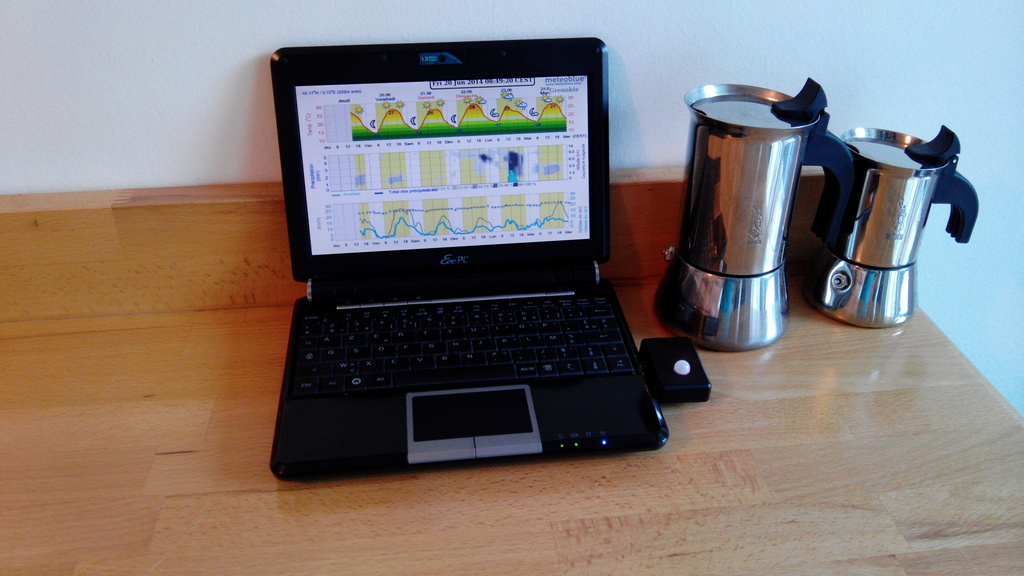
Its always on, not really good for the back-light and energy consumption.
So I got the idea of plugging a PIR sensor to wake up the screen when someone approach it.
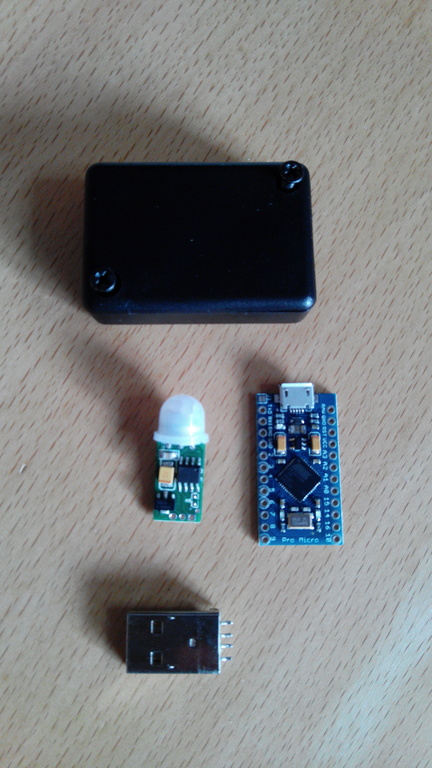 Take an Arduino Micro Pro (4€ for the Chinese version), a PIR sensor (2€), a Hammond case (1€) and an USB A male from scrap (0€).
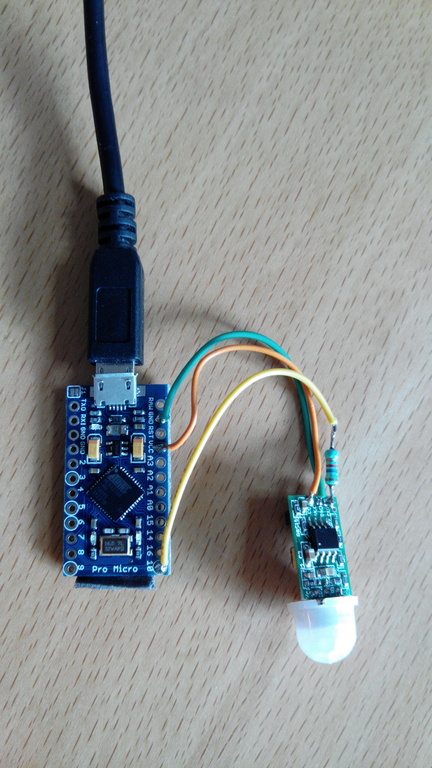
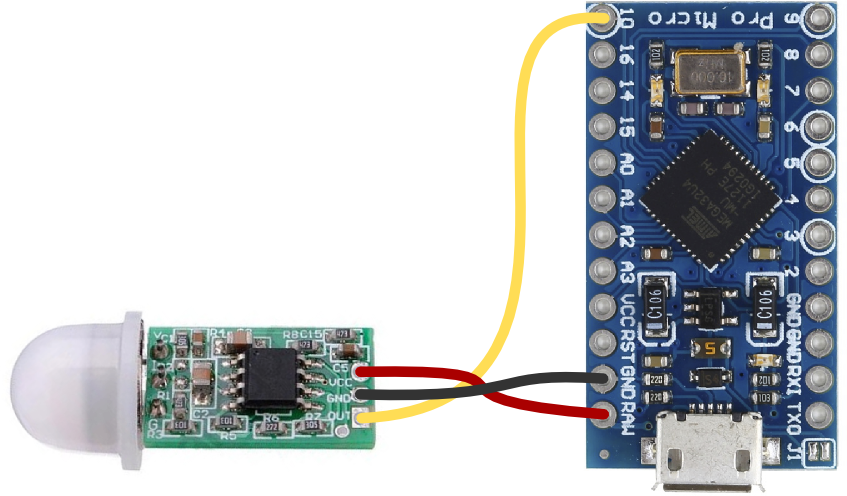
Let’s give a try, with a basic wiring, and this sketch to emulate keyboard thanks to it’s USB HID, the Arduino Micro Pro is a must.
Updated 05-01-2017:
- code with USB wakeuphost and capslock instead of ctrl
- green TX led always on
- orange RX led only on motion
#include <Keyboard.h>

#define SENSOR_PIN 10   // Senor state input pin
#define RX_LED_PIN  17  // The RX LED has a defined Arduino pin
static bool sensor_previous_state = false;

void setup()
{
  pinMode(SENSOR_PIN, INPUT);  // PIR sensor pin as input
  pinMode(RX_LED_PIN, OUTPUT);     //  RX LED as an output
  digitalWrite(RX_LED_PIN, HIGH);  //  RX LED off
  TXLED0;                     // switch on TX green to show init/powered up (only available by macro)
  sensor_previous_state = digitalRead(SENSOR_PIN); // get sensor initial state (can be already true)
}

void loop()
{
  bool sensor_current_state = digitalRead(SENSOR_PIN);
  if ( sensor_previous_state == false   // looping until we detect a rising edge
       && sensor_current_state == true) {// when sensor state is trigged, it takes about 20 sec to recover
    digitalWrite(RX_LED_PIN, LOW);   // set the LED on
    USBDevice.wakeupHost();
    Keyboard.press( KEY_CAPS_LOCK );
    Keyboard.release( KEY_CAPS_LOCK );
    TXLED0;                     // great hackery in this: we have to force down the TXLED
    delay(1000);                  // wait a bit for the led
  } else {
    digitalWrite(RX_LED_PIN, HIGH);    // set the LED off
    TXLED0;
  }
  sensor_previous_state = sensor_current_state;
}
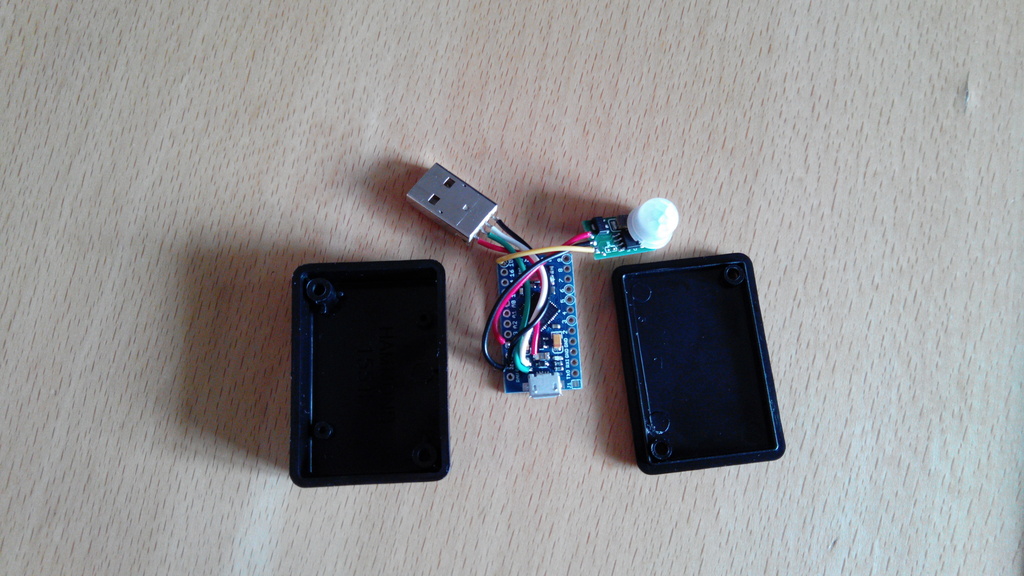
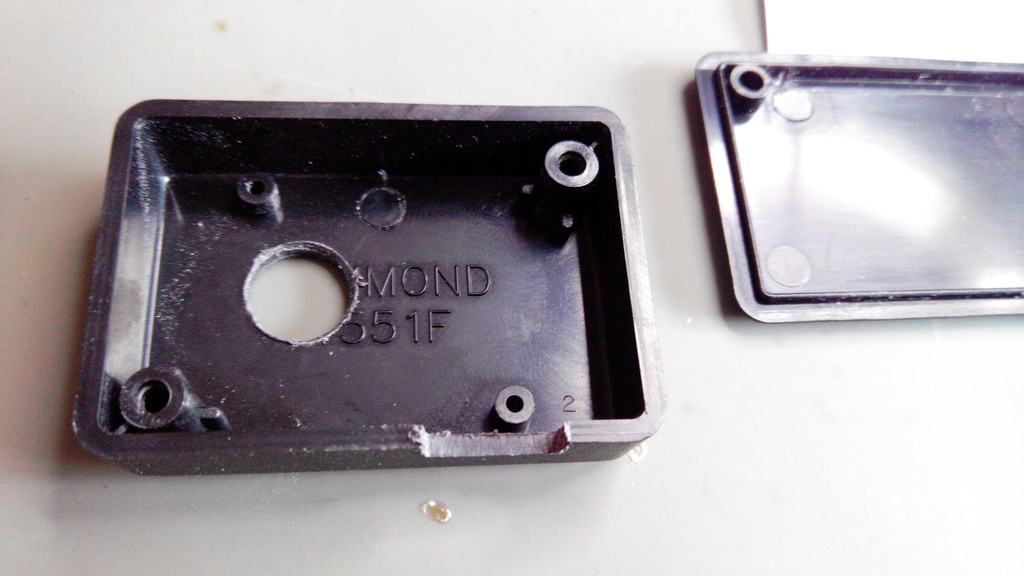
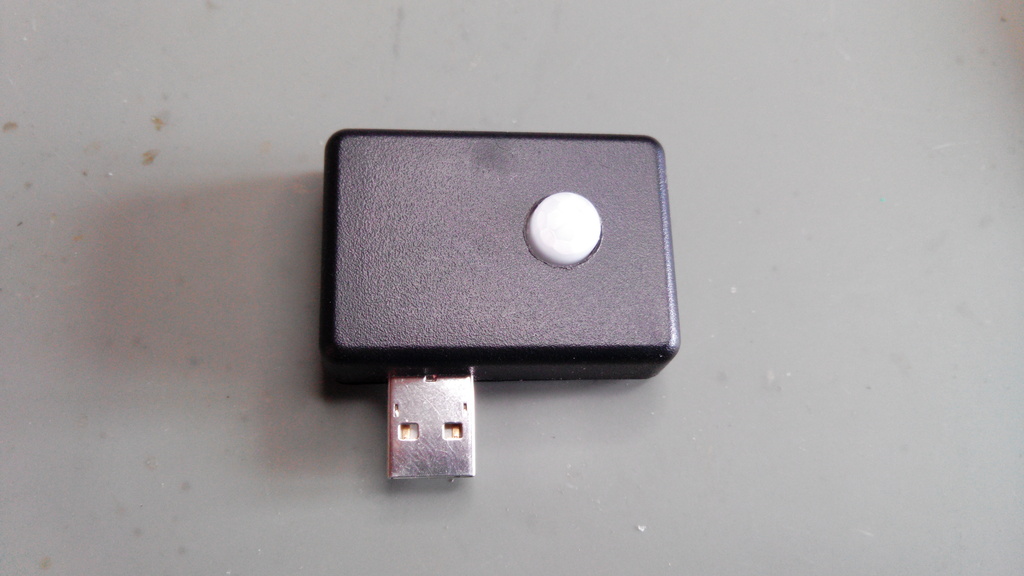 2017 update: lightguide for green and orange LEDs: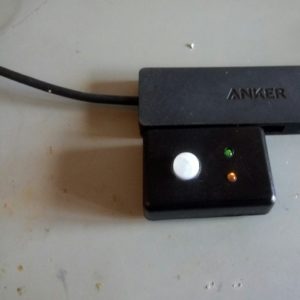
Update: LED lightguides from the scrap box
And voila!
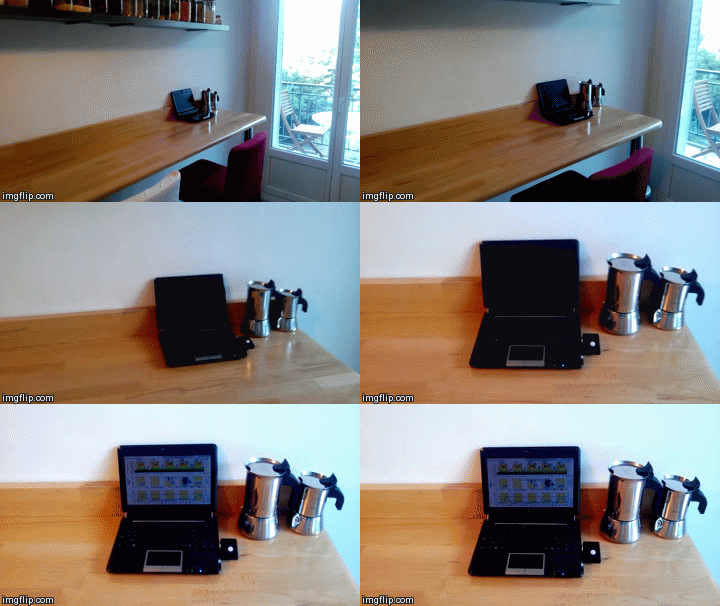
Quite nice, discrete and works very well, for about 10€/$.